
Translator
AI Actions
Once your recording is saved, you can refine, summarize, and get insights from your transcript.
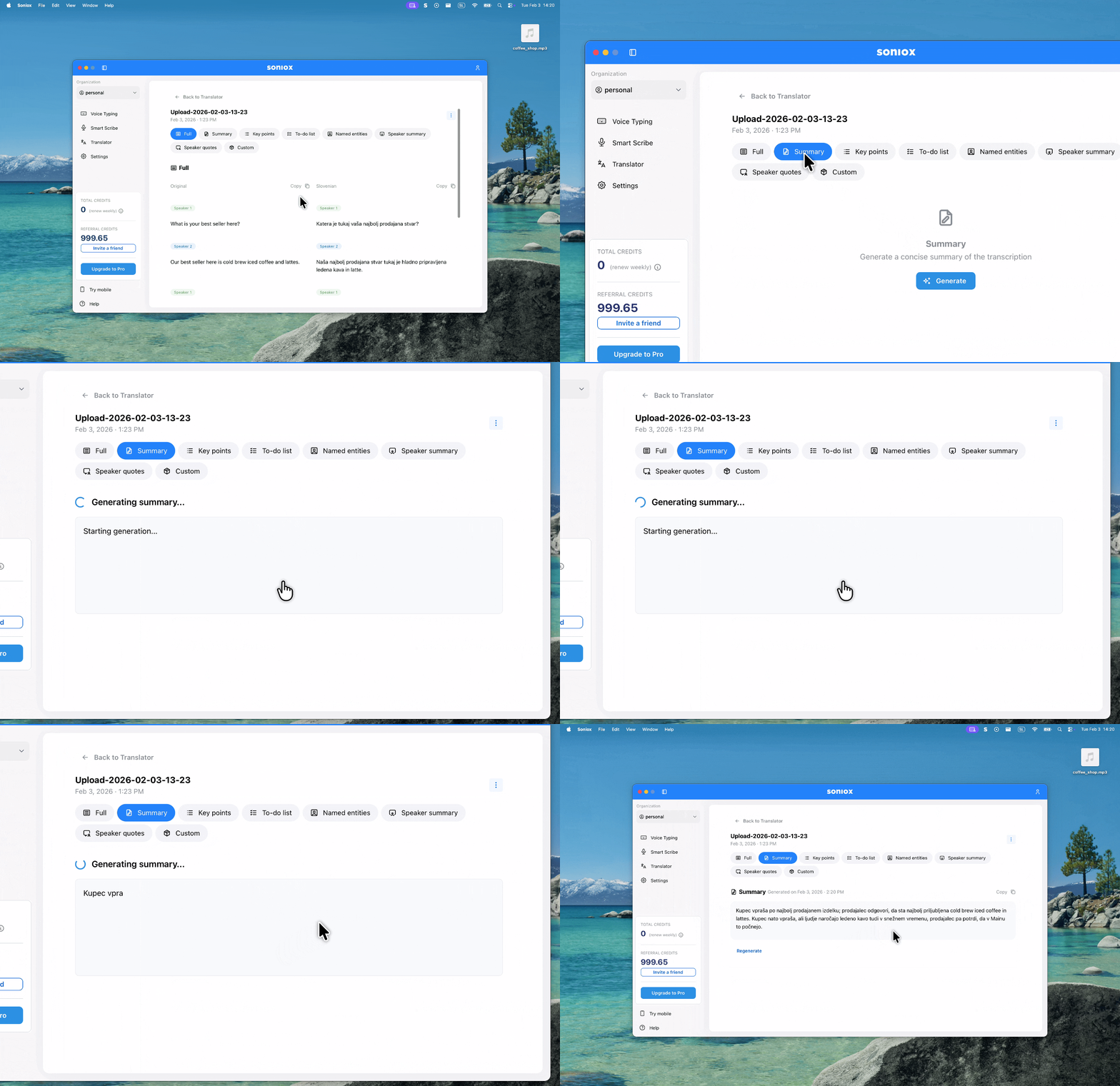
Run AI actions
Run AI actions on any saved recording to get insights instantly. Open a saved recording and select an AI action from the available options. Actions include:
- Summary: get a concise overview of the transcript.
- Key points: extract a bulleted list of main topics.
- To-do list: extract action items or next steps.
- Named entities: list all people, places, and organizations mentioned.
- Speaker summary: see a summary of each speaker's contributions.
- Speaker quotes: get the most important quotes from each speaker.
AI actions use credits from your balance. See How credits work for details.
Custom AI prompts
Select the Custom action to enter your own prompt. This lets you ask specific questions about the transcript, for example:
What was the final decision on Project X?
List all dates and deadlines mentioned.
Extract all positive and negative feedback from the client.
Accessing results
The results of AI actions are saved and can be accessed from the desktop app, web app, and mobile app.