
Using the Web App
Comments
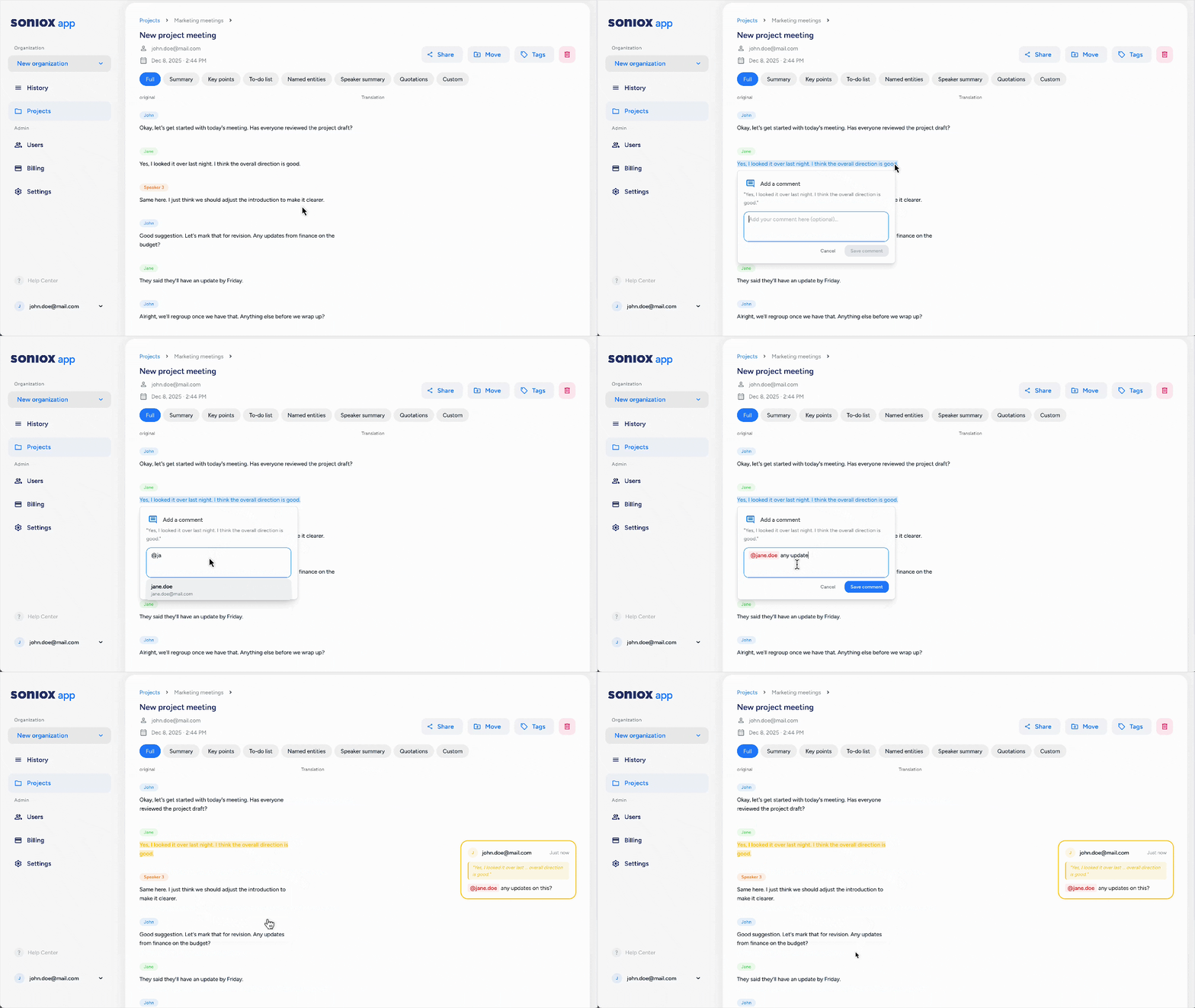
You can add comments to any transcript in the Web App. All users can take part: viewers, creators, and admins.
Add and reply
Select the text you want to comment on. A box appears where you can write your comment.
Click Reply under any comment to continue the thread. Replies stay linked to the original comment.
Edit and delete
You can edit your own comments at any time.
You can delete only the comments you wrote.
Emoji reactions
You can react to any comment with an emoji. This lets you respond without writing a reply.
Access and visibility
Comments stay tied to the transcript. Anyone who can view the transcript can read its comments.
On small screens, the comment panel is hidden. Tap the highlighted text to view the comment.