
Using the Web App
Projects
Projects help you organize and share transcriptions with your team. Each project is a shared space for recordings.
Working with projects
Creating a new project
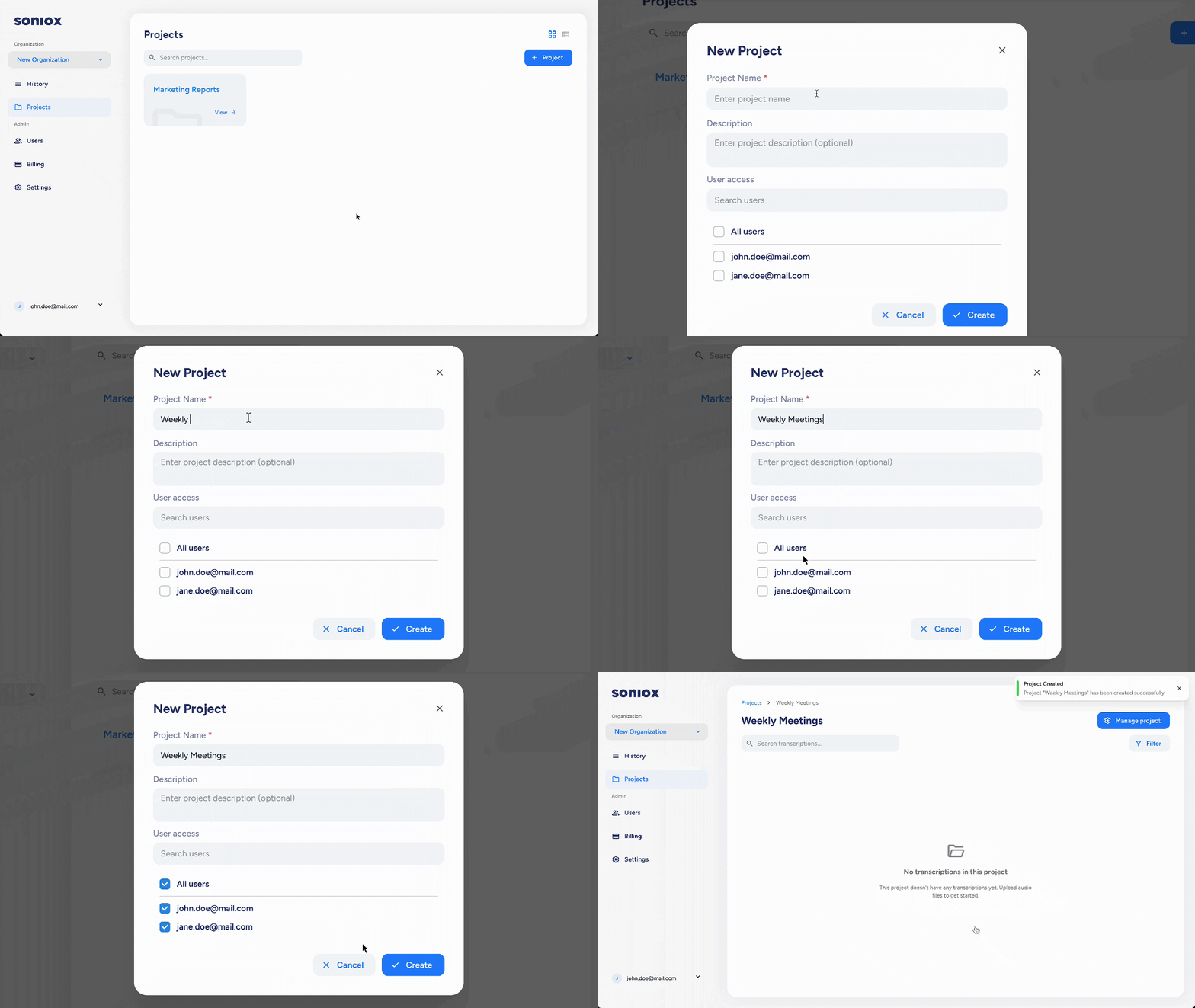
Creators and admins can create projects:
- Go to the "Projects" section in the web app.
- Click "+ Project."
- Give the project a name and description (e.g., "Q4 Client Meetings" or "Marketing Syncs").
- Add users who are already members of your organization.
Admins automatically have access to all projects in the organization.
Managing a project
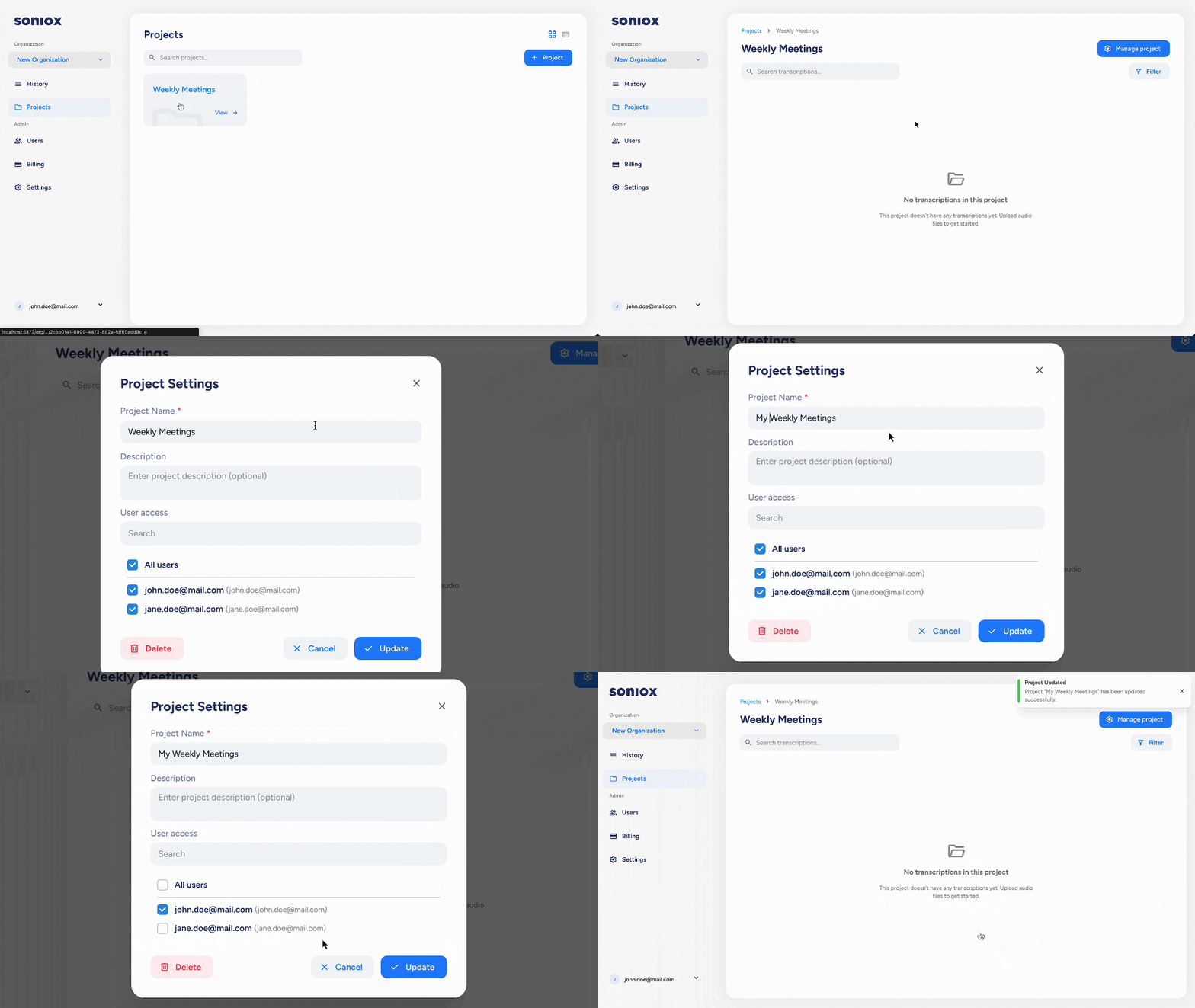
Admins and creators can manage projects. They can:
- Rename a project or update its description
- Add or remove users from a project
- Move transcriptions in or out of a project
For details on managing transcriptions inside a project, see Transcriptions.