
Improving accuracy
You can help Soniox get a more accurate transcript or translation by giving it a few hints before you start recording. These settings are optional, but they often make a clear difference.
Tap the Settings icon settings at the bottom left of the transcription or translation screen.
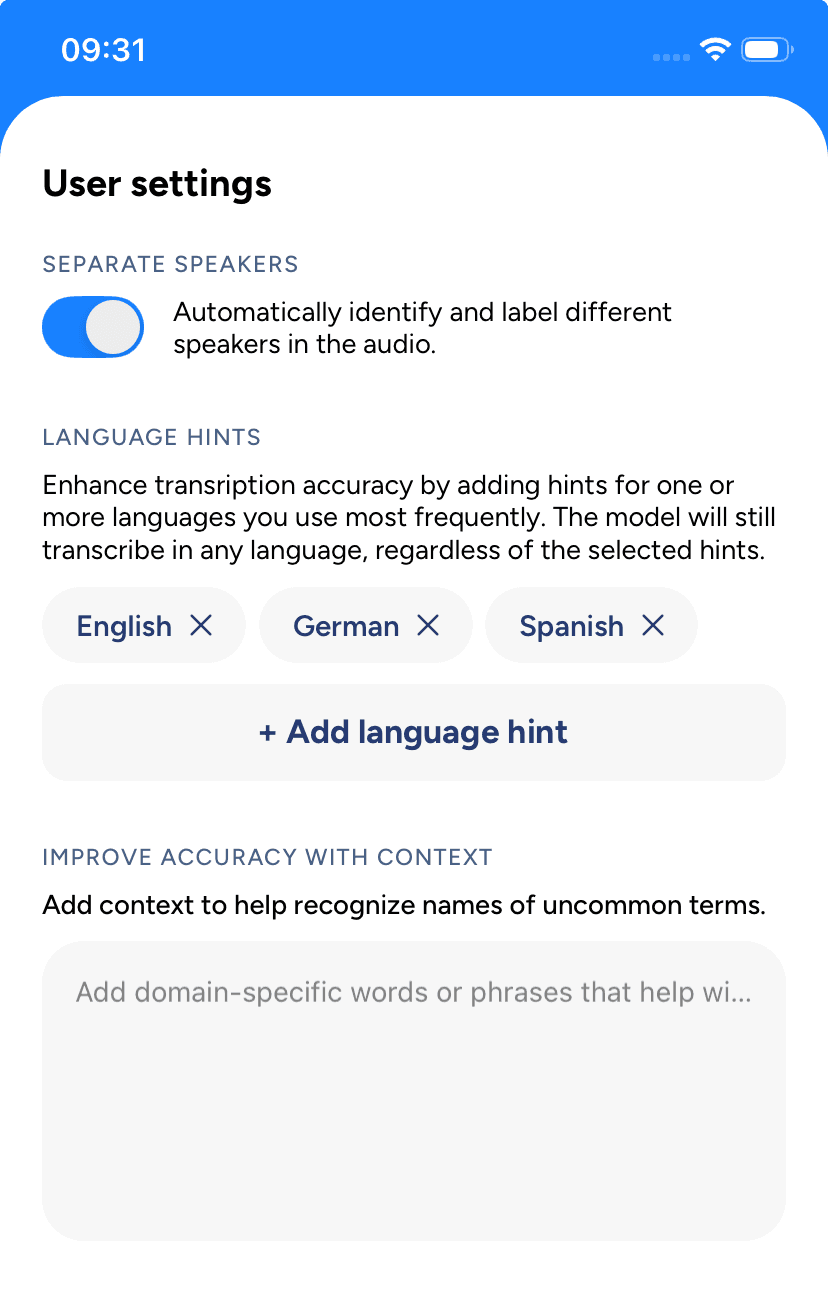
You can always re-transcribe a recording with the correct settings to improve its final transcript. See Re-transcribe a recording.
Language hints
Tell the app which languages you expect to hear. Soniox supports more than 60 languages. Setting them helps the model focus on the right ones.
Pick the languages you expect in the conversation. If you skip this, the app will still try to detect and transcribe them, but accuracy may drop.
Context
Add short notes about names, terms, or the topic. Use this when your conversation includes rare words or names the model may not know.
Examples:
Talk about our new QuantumLeap project, Q4 plans, and the upcoming launch.
Chat between Jaens Kerckhove and Sreejith Krishnamurthy about their app Erthalion.
Speaker diarization
This is the feature that identifies who is speaking and labels the text with "Speaker 1," "Speaker 2," etc.